Harsh light
Midday sun, blown highlights, hotspots on the bonnet and dull overcast days, evened out across the whole set.
Built for used inventory you have already photographed. Pre-Owned OS sharpens, cleans and optimizes the photos you already took (harsh sun, reflections, framing, clutter) while the car, the plates and the location stay exactly as shot.
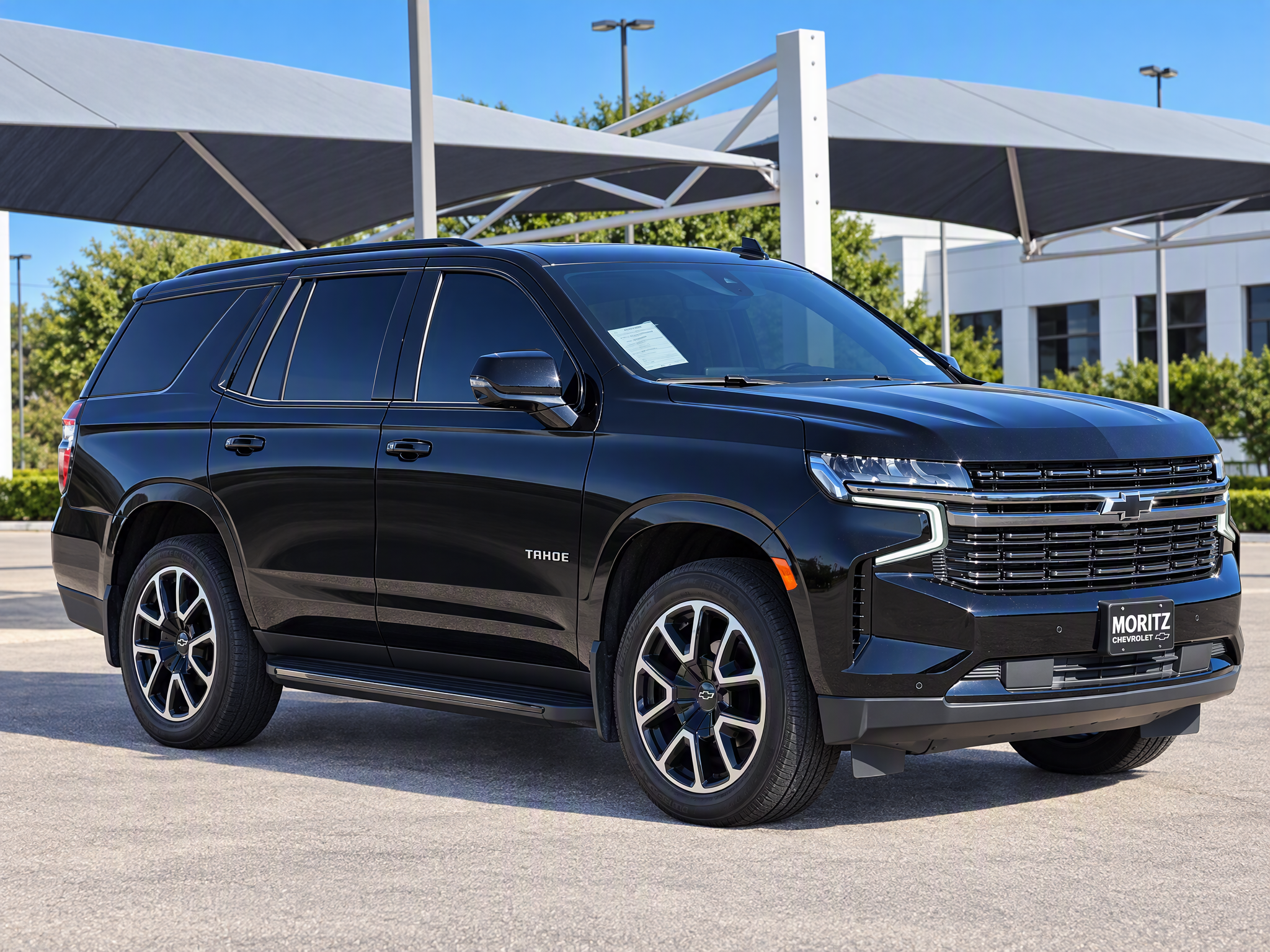
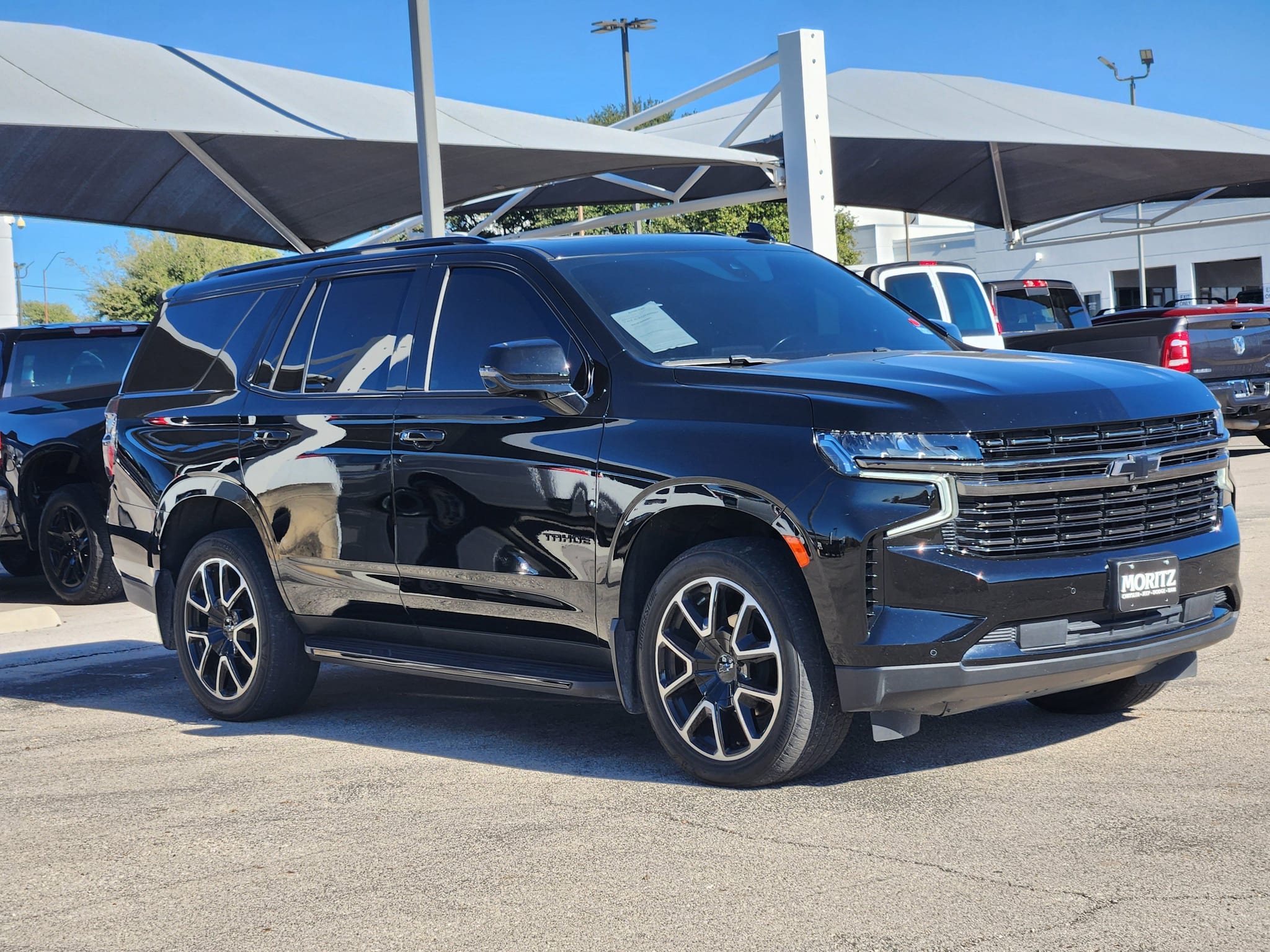
Retouch, don't restage
Most listing photos aren't bad. They're shot at noon, next to another car, with the photographer in the paint. Pre-Owned OS fixes the photograph without pretending the car is somewhere it isn't, so your listings look better and stay honest.
What it fixes
Midday sun, blown highlights, hotspots on the bonnet and dull overcast days, evened out across the whole set.
The photographer, the building and the car next door disappear from the paint, replaced with a clean, neutral gloss.
Crooked, cramped or cut-off shots are reframed into a professional composition. Dashboards are squared to the screen.
Stray cones, hoses and litter are removed and surfaces cleaned up, with a setting that decides how far it goes.
Number plates, badges and on-screen UI are held exactly as photographed, so nothing identifying is invented.
Optional display plates front and rear, a logo on the infotainment screen and a branded floor mat, off until you turn them on.
Before and after
Real dealership photos, straight from the lot, run through Pre-Owned OS with no manual retouching.
Midday glare and neighbour reflections evened out on black paint.
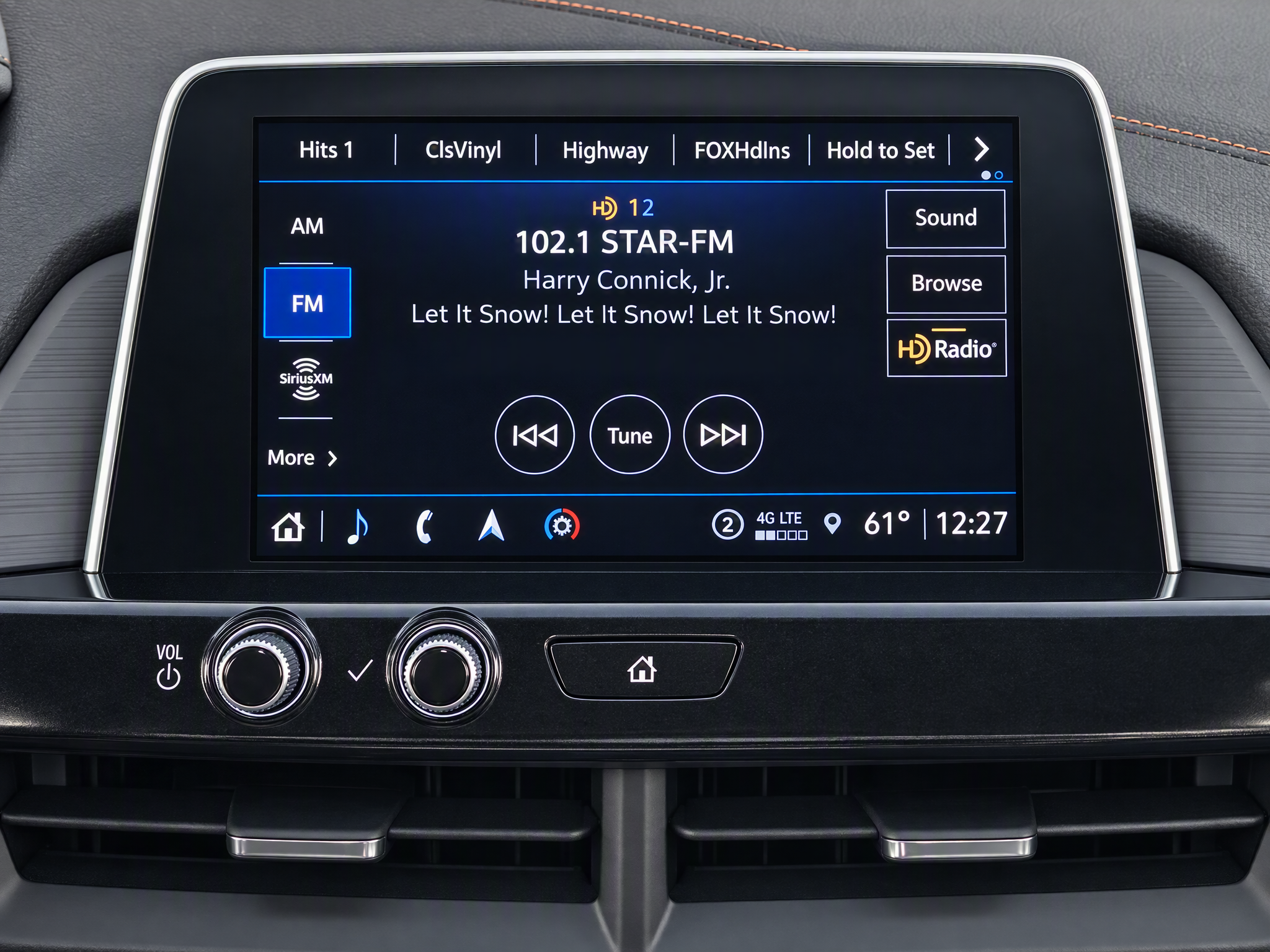
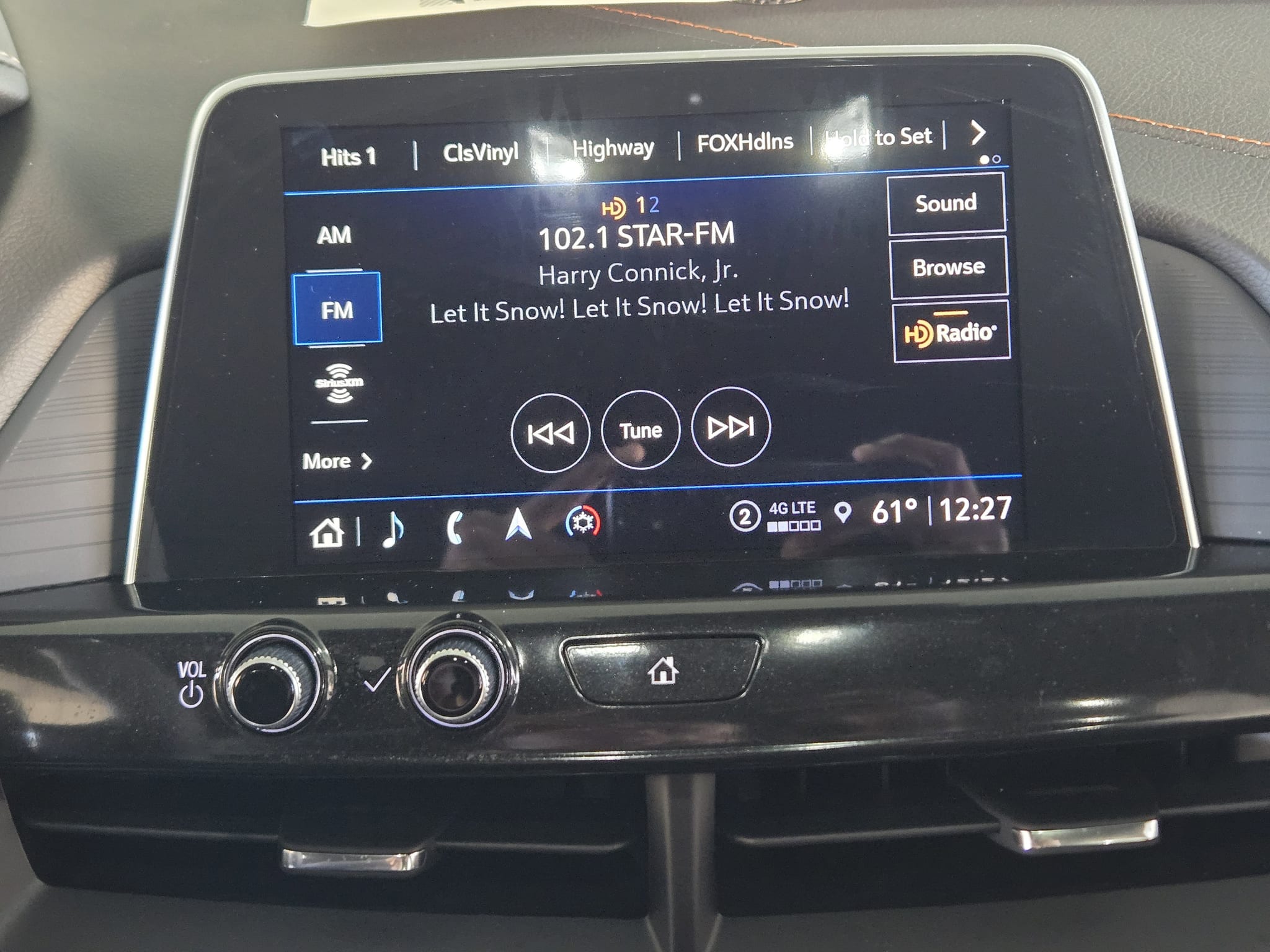
Photographer glare off the screen, frame squared to the dash.
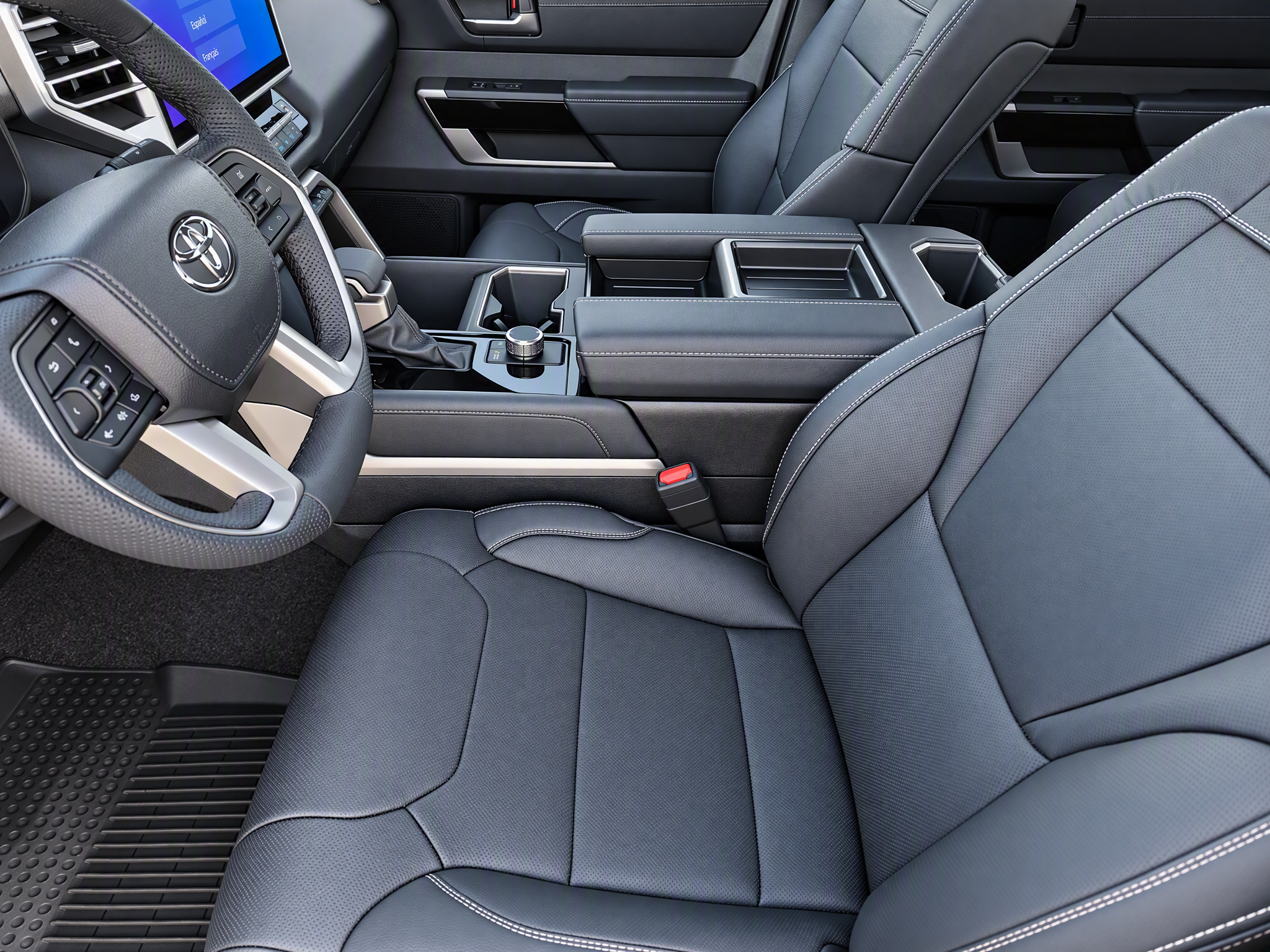
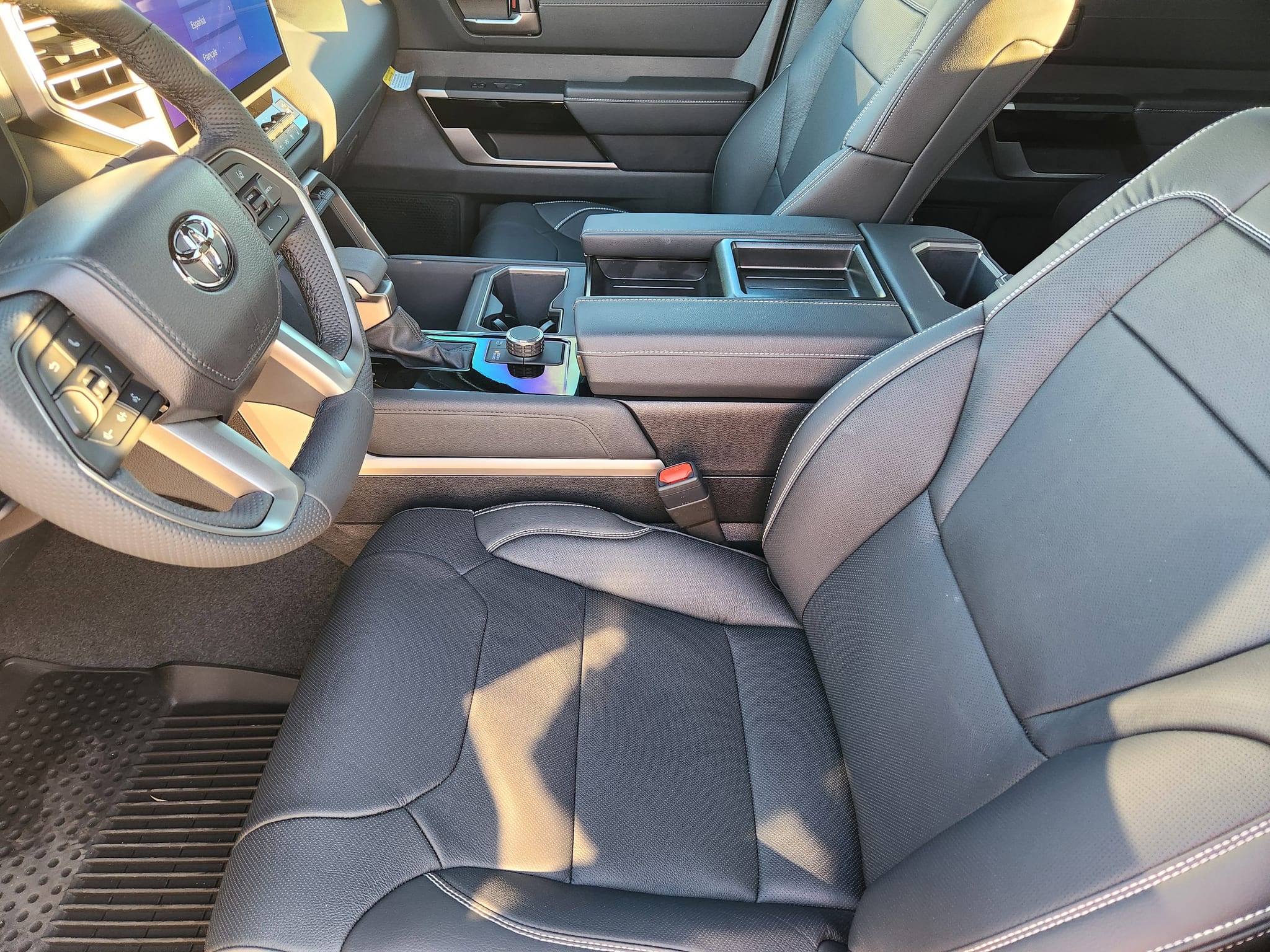
A harsh sunbeam across the interior, recovered without flattening it.
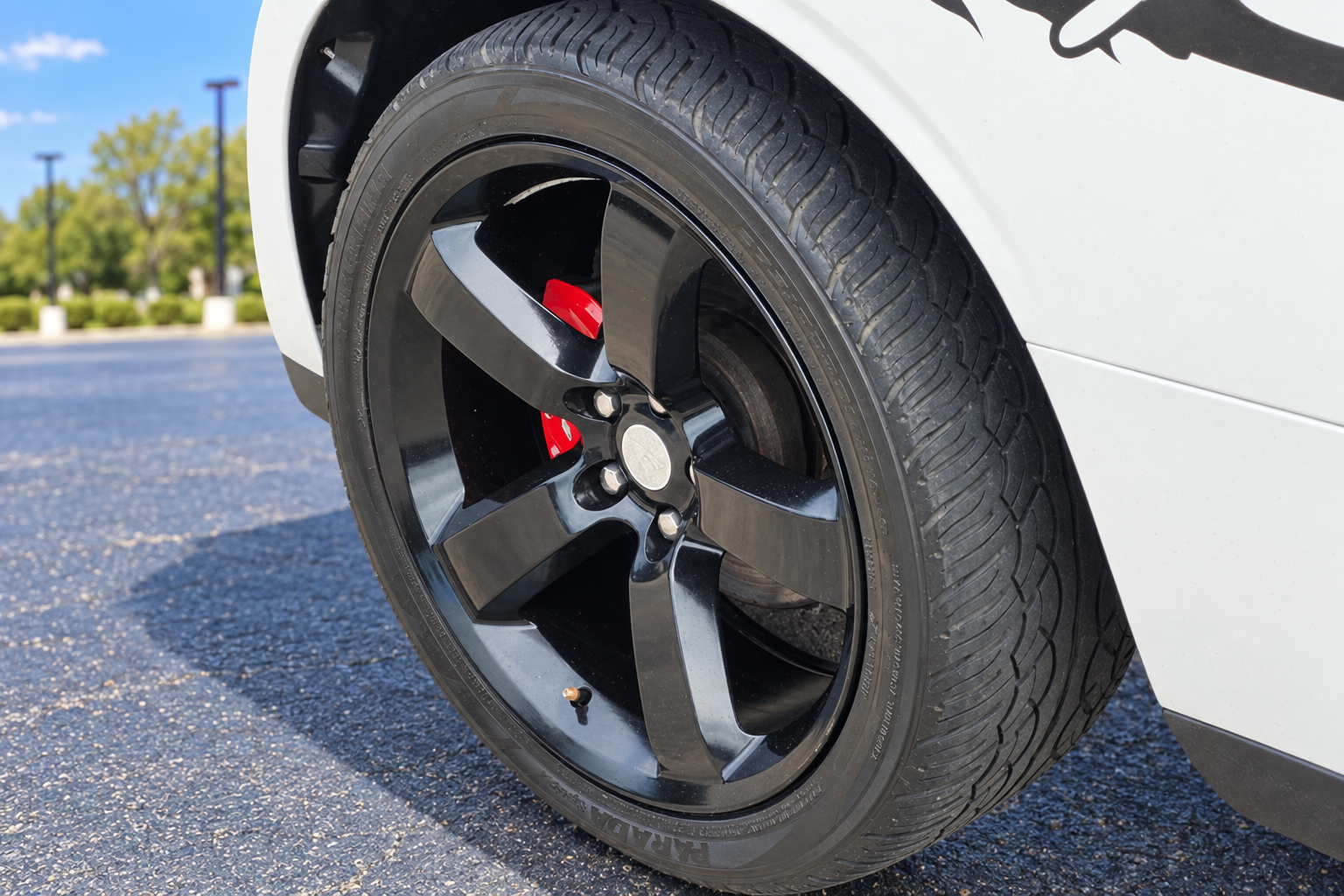
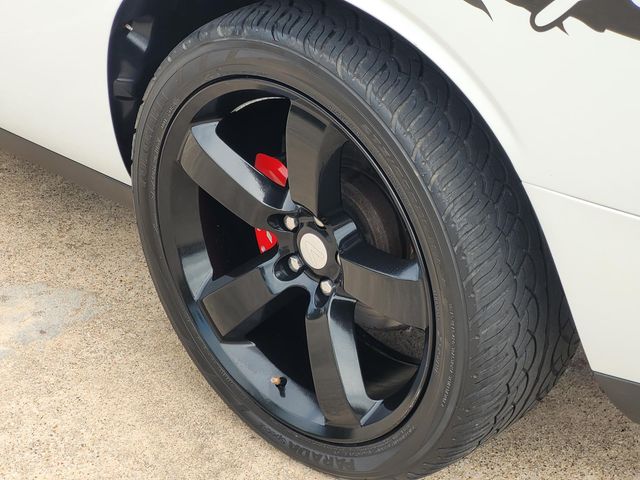
A tight lot shot reframed and relit on an 80,000-mile Challenger.
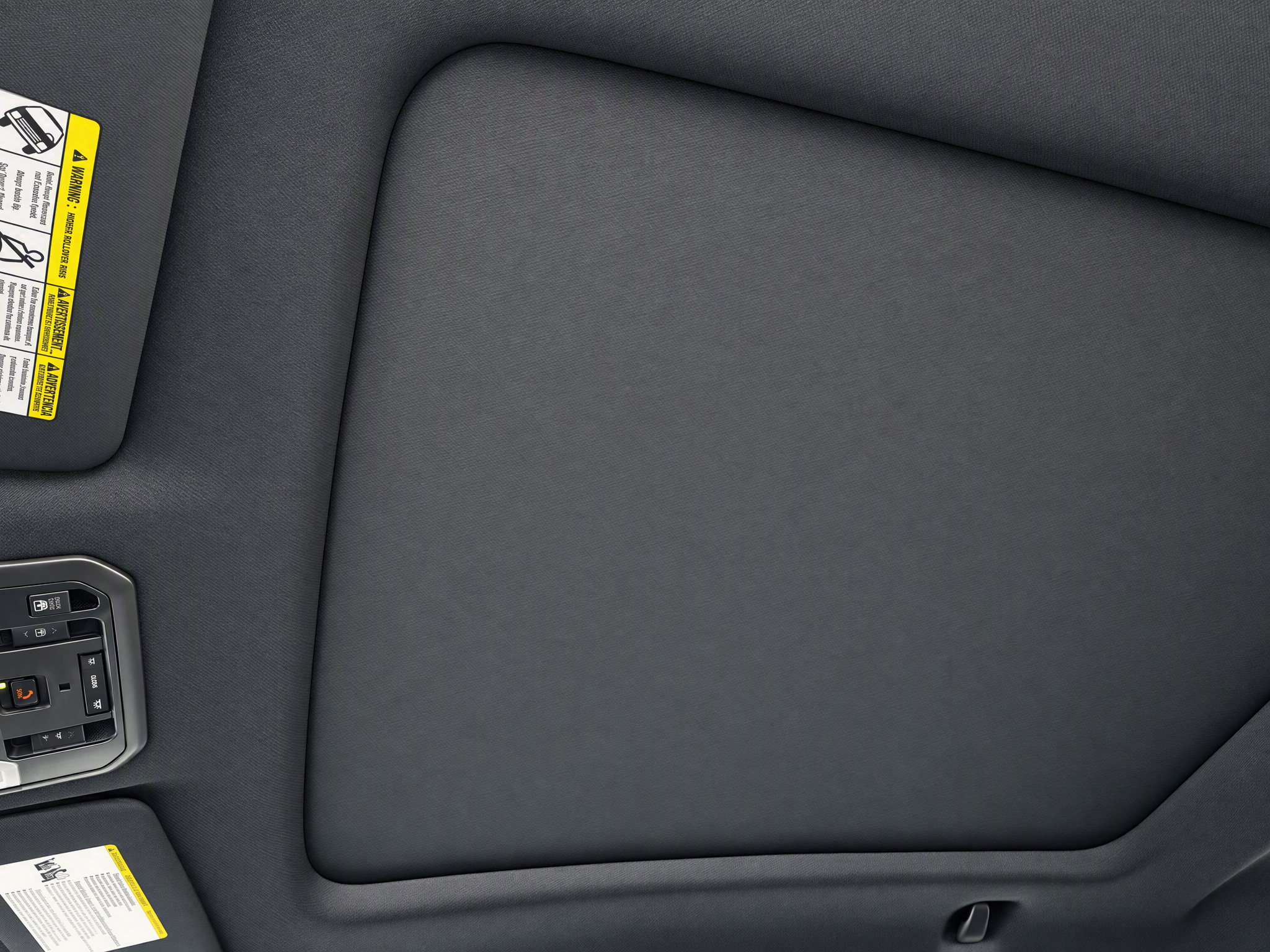
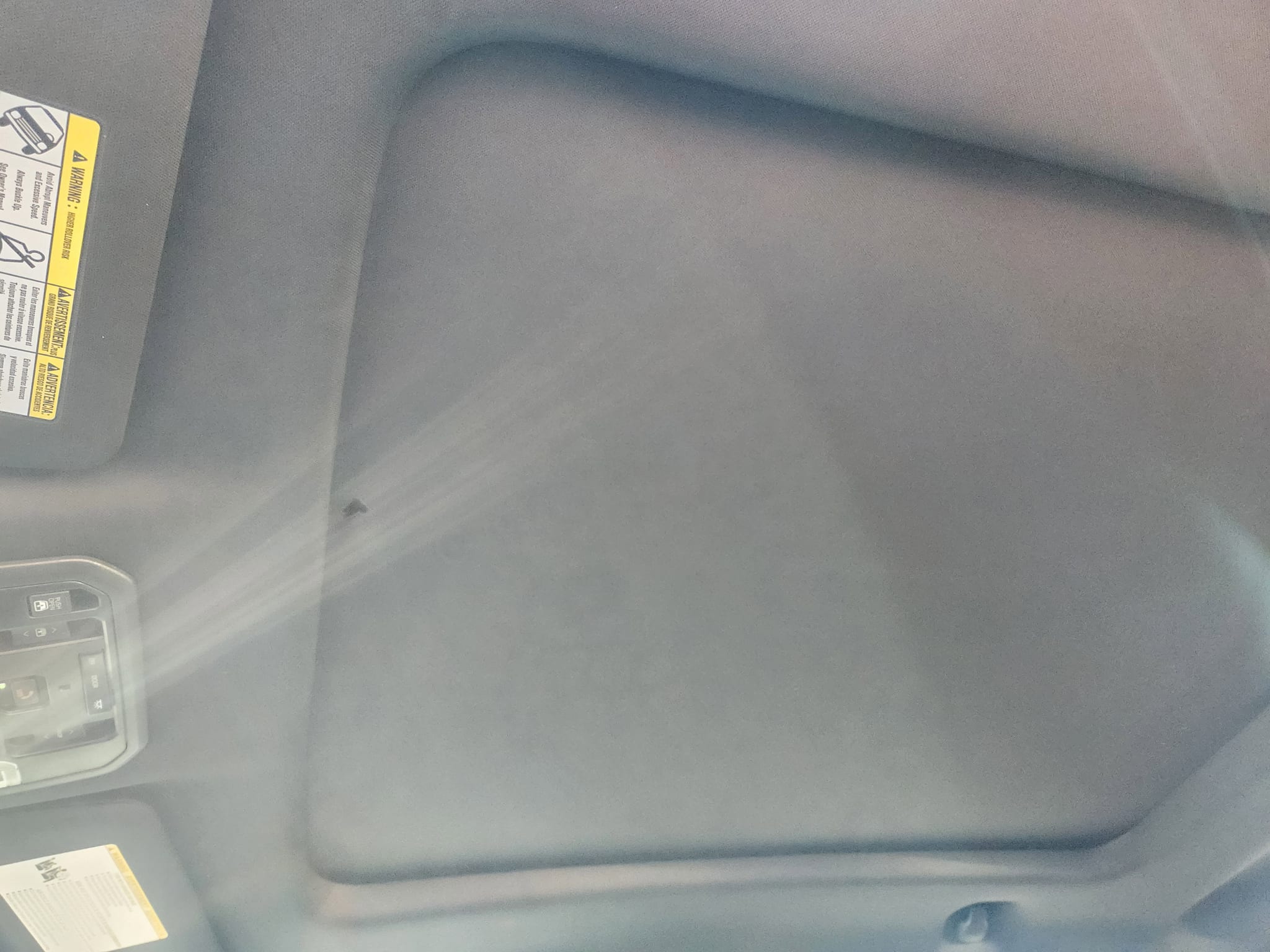
Headliner glare tamed so the cabin reads properly.
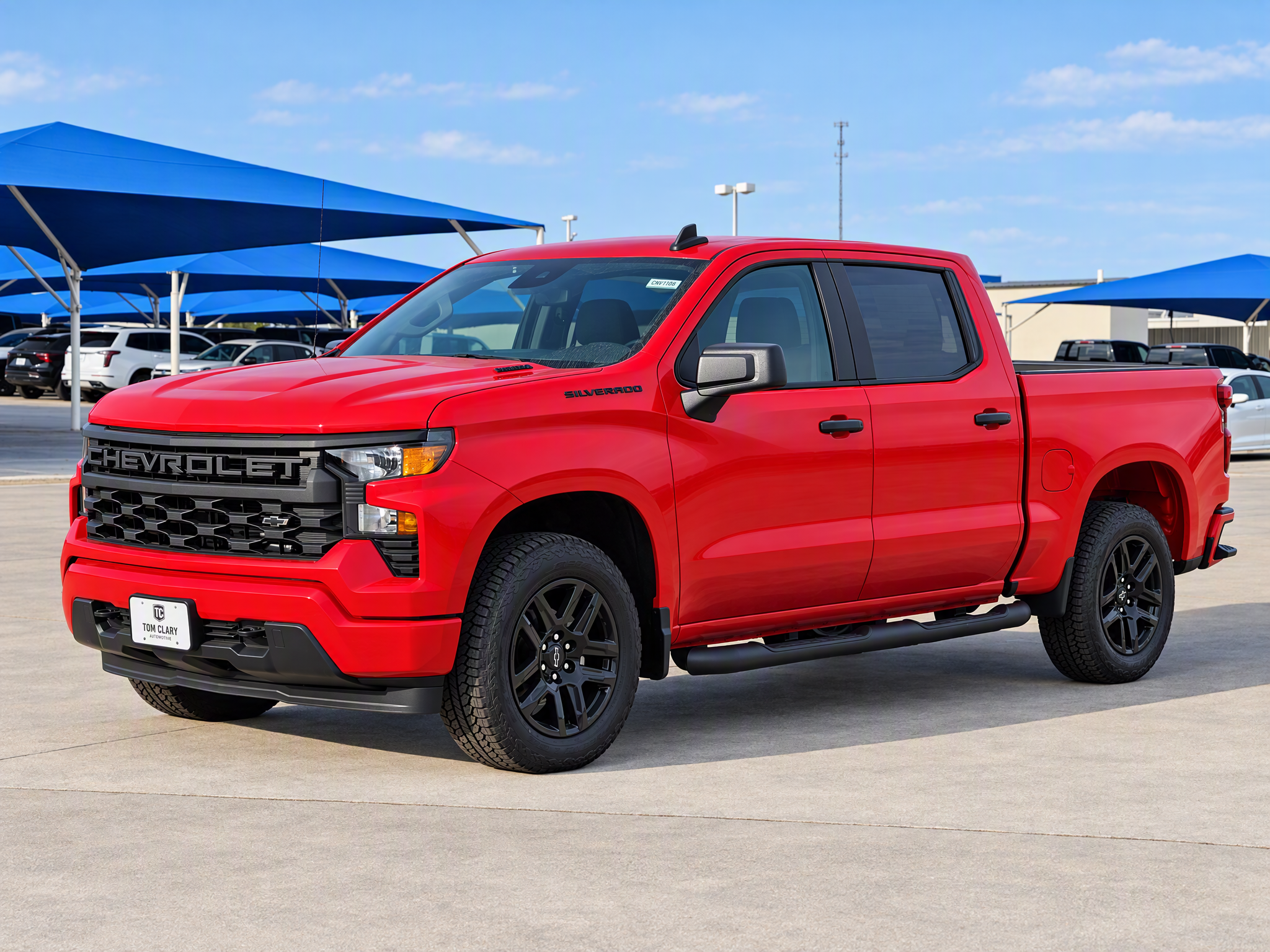
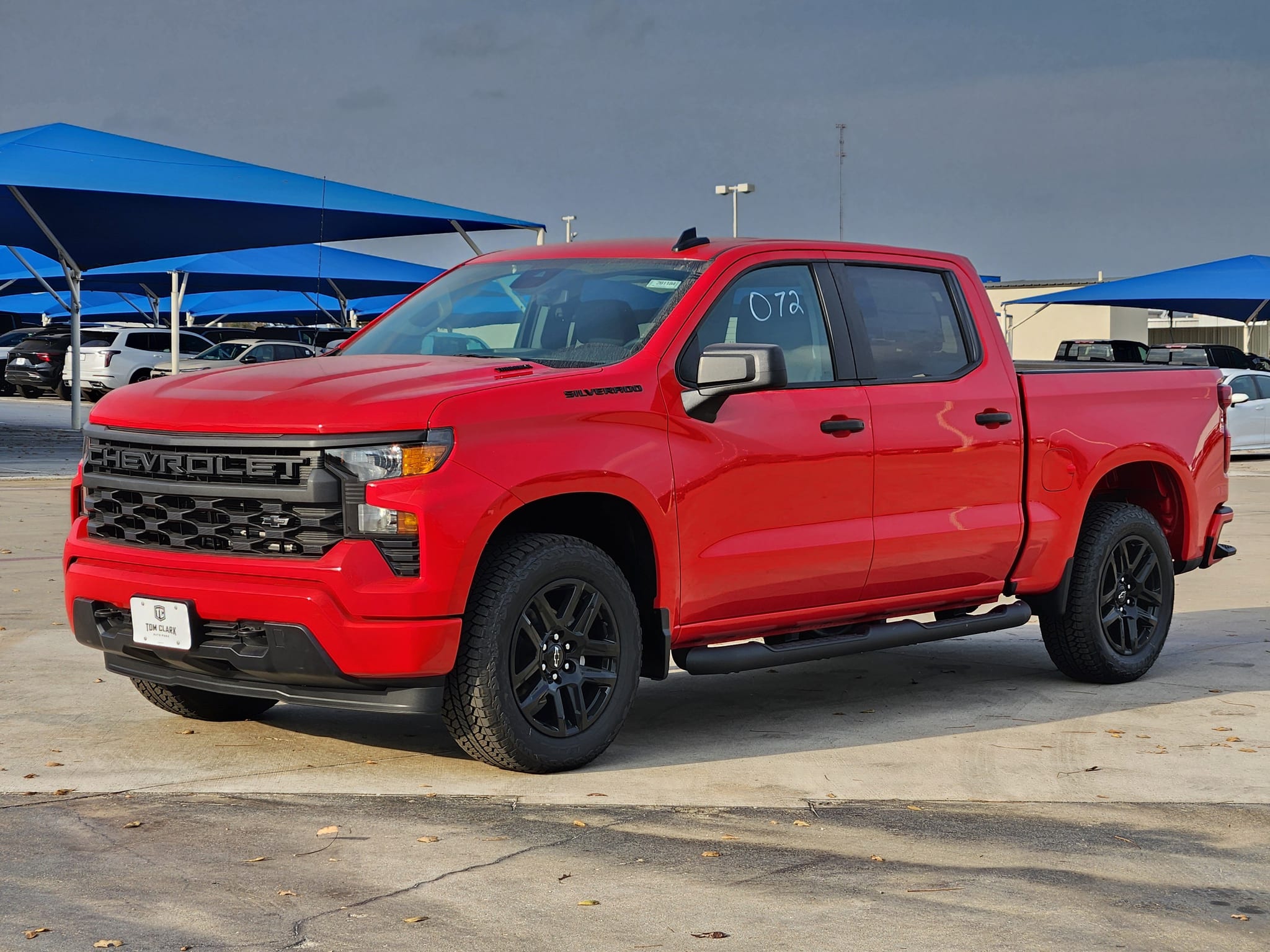
Dull overcast light lifted to show the paint's true colour.
How it works
Up to 48 per vehicle, from Guided Mobile Capture, an upload or your inventory feed.
Each photo is recognised as exterior, interior or close-up so the right fixes apply to the right shots.
Reflection, tidying and framing strengths are saved per dealership, so every car gets the same treatment.
Flip between original and enhanced, redo any photo, then download them all as a ZIP or sync them straight to your inventory systems.
You stay in control
Pre-Owned OS improves the photograph, not the vehicle. For used stock you decide exactly how much is cleaned up: the Consistency setting runs from "Keep every mark" to "Fully tidied".
FAQ
Only if you set it to. The Consistency setting decides how much surface tidying happens; for used vehicles we recommend "Keep every mark" so scratches and wear stay visible. Misrepresenting a vehicle's condition is against our Terms, and bad for trust.
No. Pre-Owned OS keeps the car where it was photographed and only cleans up light, reflections, framing and clutter. To place a car in a showroom, use First Look OS or your own virtual showroom.
JPEG, PNG, WebP or GIF, up to 4 MB each and 48 per vehicle. Phone photos straight from the camera work fine.
Pre-Owned OS is part of every vehicle image set in your package. There's nothing extra to pay per photo.
Yes. Save named presets per dealership in Settings, or roll one configuration out across every rooftop in your group.
Works well with
Bring a handful of real lot photos to a demo and we'll run them live.